Follow up with real estate leads in Outlook
Connect Outlook or Microsoft 365, review a reply to an existing inquiry, and check calendar availability before offering a showing. Brokerage accounts may need administrator approval first.
By the Real Extent team · Updated
Personal Outlook or a brokerage Microsoft 365 account?
For a personal Outlook.com, Hotmail, or Live account, you review the permissions yourself. For a work account, your organization decides whether you can consent or whether an administrator must approve the app.
If you see “Need admin approval,” use the request option if your organization provides one, or contact your administrator. Microsoft explains this in its user and admin consent guide. Do not assume one approval grants access to every mailbox.
Real Extent requires a paid plan for your own inbox. Resolve account-access questions before subscribing, and request setup help if you need it.
Connect and confirm your inbox
- 1
Choose Outlook
In Integrations, or during setup, choose Outlook and sign in with the Microsoft account where your lead inquiries arrive.
- 2
Review access
Check the account and permissions. If an administrator must approve, wait for that decision before continuing.
- 3
Find one conversation
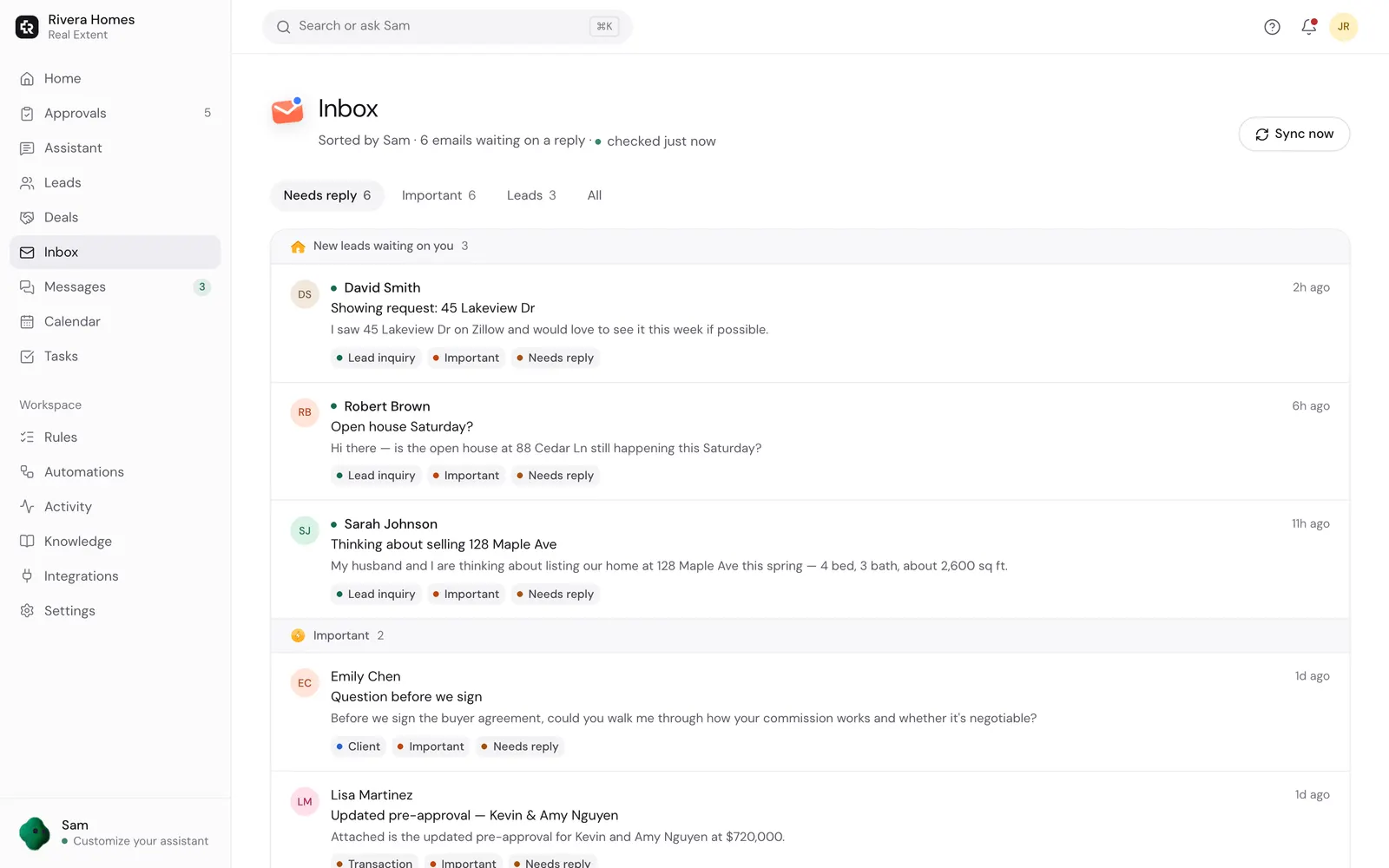
Confirm the connected address and open an inquiry in the Inbox. Ask the assistant for a short draft that addresses the question and gives one next step.
Check the reply and the calendar separately
Keep sending on Ask before sending in Settings → How my assistant works → Approvals. Check the recipient and property facts before approving the draft. After sending, confirm the message in your Outlook Sent folder and Real Extent’s Activity log.
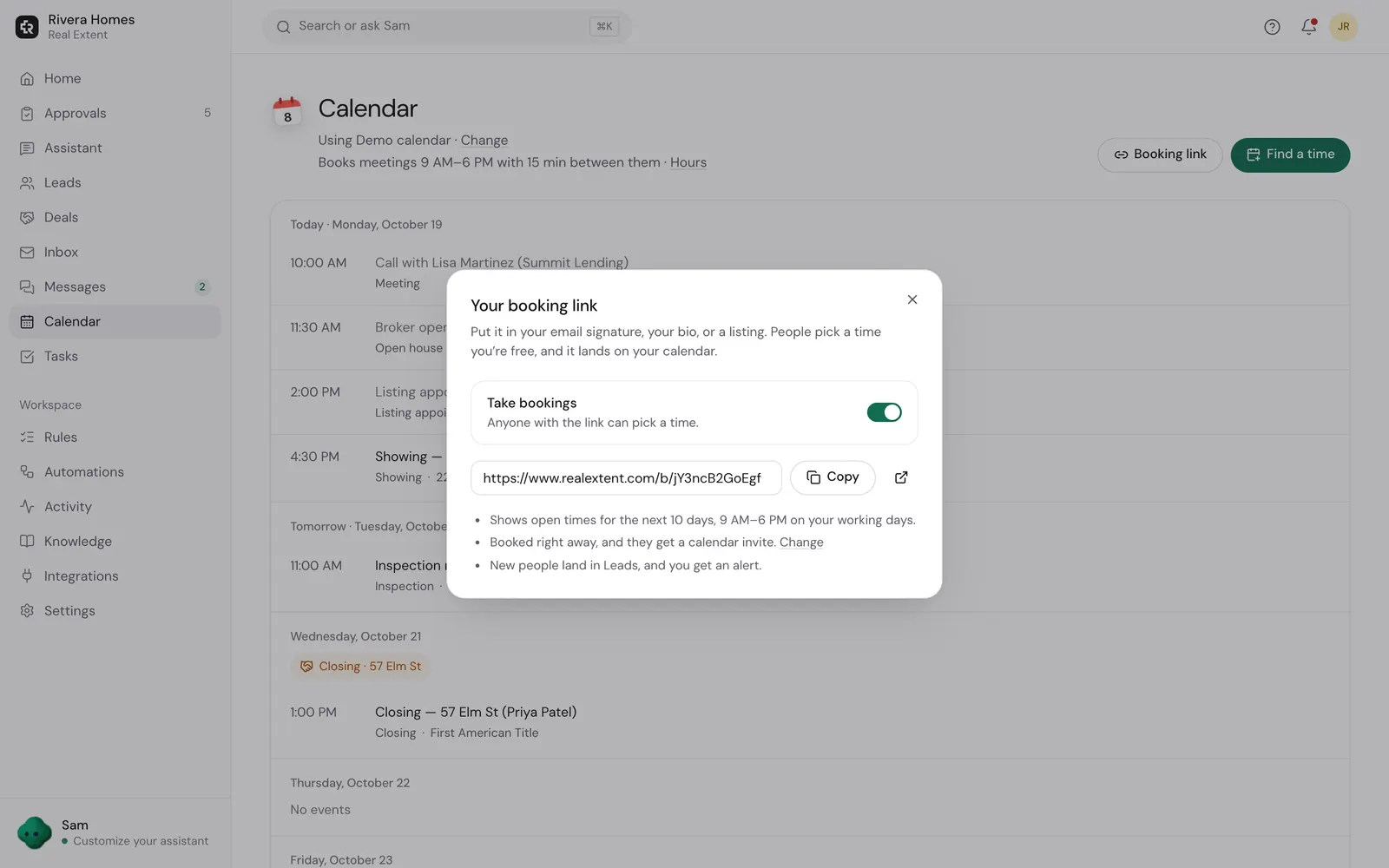
If you want help scheduling a showing, check which calendar is connected and whether it contains all your busy times. You can connect a different calendar from Integrations. Calendar availability alone does not confirm that a property is available to show.
After a viewing, use the after-showing templates to ask about the buyer’s actual response.
Questions agents ask
- Can I use Outlook for email and Google for my calendar?
- Yes. Connect the calendar separately from Integrations, then check that it includes the commitments you want the assistant to respect.
- Does this synchronize with my existing CRM?
- No direct CRM synchronization is available. Use the CRM guide to choose where records and follow-up schedules live.
- What should I share when asking for help?
- Share whether it is a personal or work account, the step that failed, and the error wording. Do not send passwords, access tokens, or screenshots containing client messages.
Get one useful reply ready for approval
Begin with one existing inquiry. Add a follow-up schedule only after you have checked the first reply and your other automations.
Plans from $19/month, billed when you subscribe. Sending starts on Ask first. Need setup help?
Keep reading
- Get setup helpStart with one lead reply. See the setup checklist, request help from the Real Extent team, and understand paid plans and inbox permissions before connecting.
- Using your existing CRMChoose which system owns follow-ups, import contacts without emailing them, and avoid duplicate messages. Real Extent does not directly sync with external CRMs.
- Works withReal Extent connects to the email, calendar, files and messaging apps real estate agents already use: Gmail, Outlook, Yahoo, iCloud, Google Calendar, Google Drive, OneDrive, Quo, Telegram and more.