Rules and automations you set up in plain words
Tell Real Extent once, the way you'd tell an assistant: “If Mike doesn't reply in three days, follow up.” “Remind me to call the lender Monday at 9.” “For Zillow leads, always mention my buyer guide.” It remembers, and does it at the right time without asking you again.
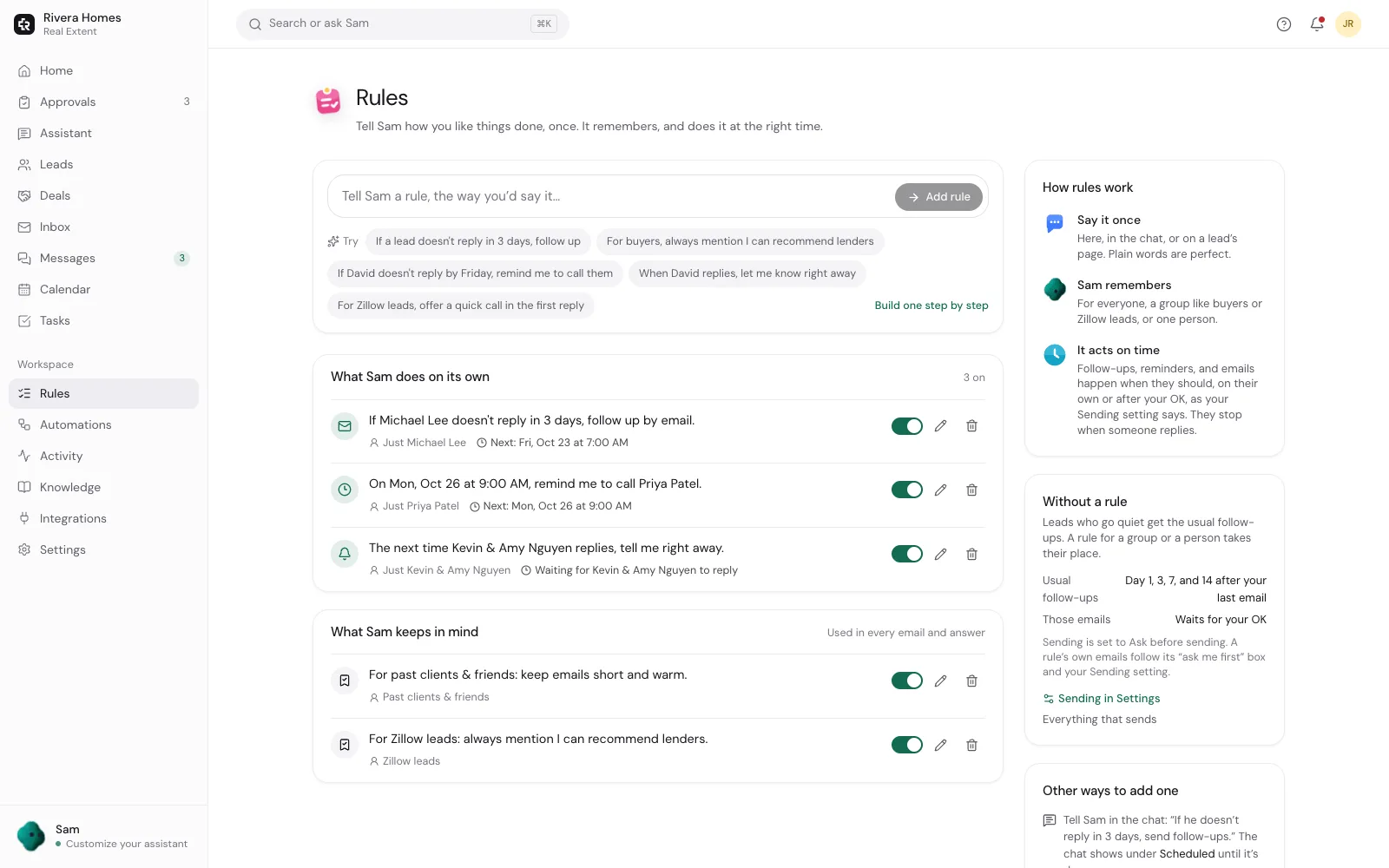
Set rules in the chat, on the Rules page, or on a person's page. Each one says in plain words what it will do and when it runs next.
How rules work
- 1
Say it the way you'd say it
“If she doesn't reply by Friday,” “in two hours,” “every five days until he answers,” “when the Lees reply, let me know.”
- 2
It shows what it understood
Who it's for, when, and what it will do, as one sentence you can change before saving.
- 3
For one person or many
One client, a group like buyers, sellers or past clients, everyone from Zillow, or everyone.
- 4
It acts at the right time
A follow-up email, a reminder with a task and a phone alert, or a heads-up when someone replies.
- 5
It keeps things in mind
“Keep emails to past clients short.” “Mention the price drop.” Rules like these shape every email it writes for those people.
- 6
It reports back
When a rule set up in a chat runs, it tells you in that same chat, with the email ready to approve.
Ready-made automations too
- Turn on routines with one switch: the morning briefing, reminders for promises you made in emails, birthday and home anniversary notes, deal deadlines, weekly client updates, showing feedback and seller reports.
- Every rule and routine can wait for your OK before anything goes out.
- Follow-ups from rules still go out only during your working hours, and stop the moment the person replies or opts out.
- Pause, change or remove any rule. Changing one re-plans everything it lined up.
Questions agents ask
- Do I need to learn a workflow builder?
- No. Type a sentence, check the one-line summary it shows you, and save. There are no triggers or boxes to wire together.
- Can a rule wait minutes instead of days?
- Yes. Minutes, hours or days. “If he doesn't reply in 10 minutes, send a follow-up” works.
- What if I name someone it can't find?
- It asks which person you mean, or tells you it couldn't find them, before saving anything.
- How many rules can I have?
- Up to 60 at a time. A new rule for the same people and the same job replaces the older one, so “make it five days” updates instead of adding a second rule.
Say it once. It remembers.
Tell your assistant how you like things done, and it keeps doing them.
Plans from $19/month, billed when you subscribe. Sending starts on Ask first. Need setup help?
Keep reading
- Follow-upsReal Extent follows up with leads who go quiet on the schedule you pick, writes each email from what they actually said, and stops the moment they reply.
- Deal trackingReal Extent reads the dates from a purchase contract, reminds you before each deadline, sends clients a weekly update, and keeps listings, showing feedback and pricing in one place.
- Lead repliesReal Extent reads new inquiries from Zillow, Realtor.com, your website and open houses, and writes a reply in your voice within minutes. It waits for your OK until you tell it to send on its own.